






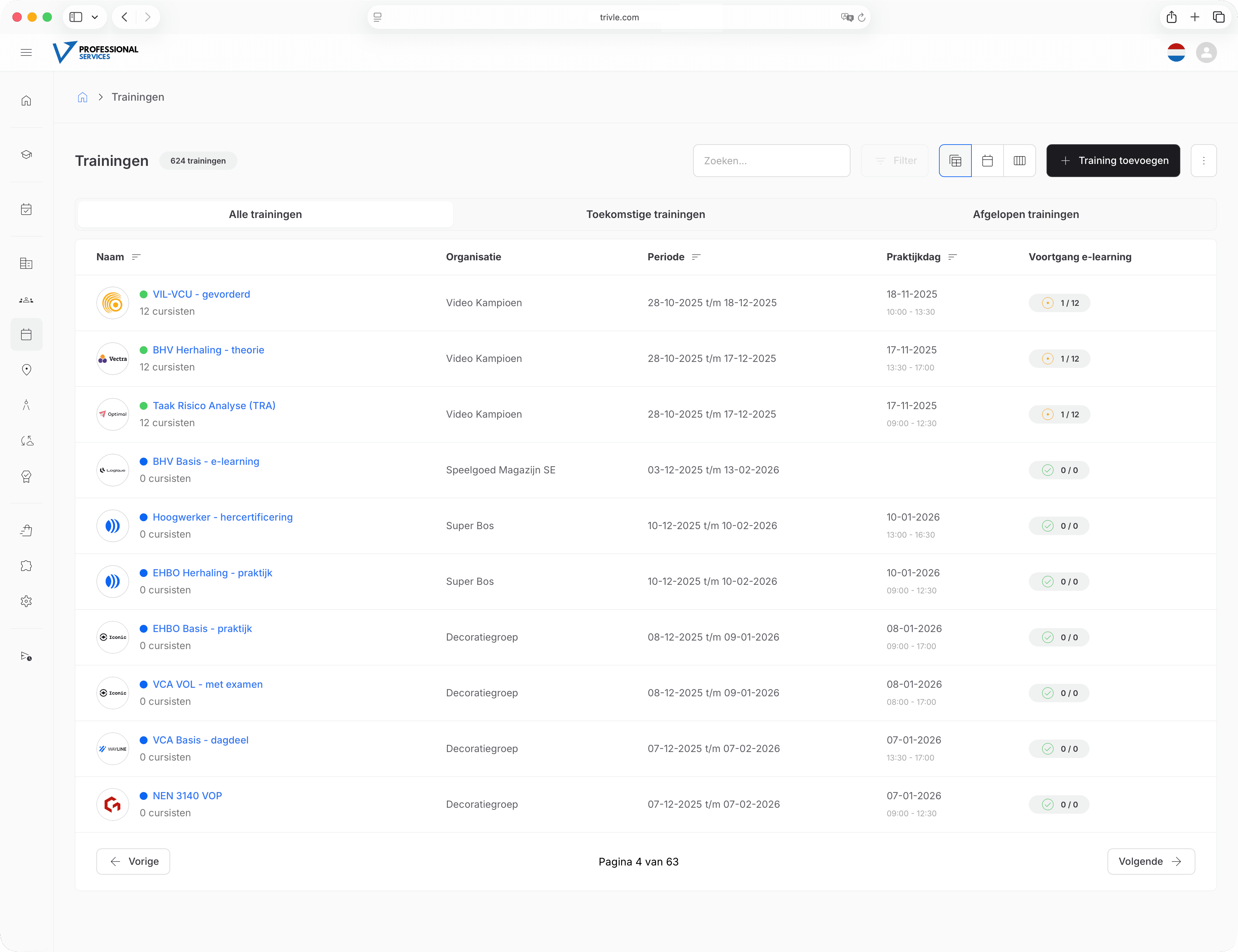
Everything you need as a trainer, in one overview
Trivle gives trainers their own portal where they can view trainings, register attendance, track learner progress and access training materials. Clear, simple and always up to date.
View your schedule
See at a glance when you're scheduled, where the training takes place and who's in your group. With navigation to the location via Google Maps or Apple Maps.
Register attendance digitally
Mark who's present with one click. Attendance is automatically linked to the correct training and forms the basis for certificates and progress.
Track learner progress
See which learners have completed e-learning, which questions they answered and where extra attention might be needed during classroom sessions.
Your own trainer portal with all relevant information
Digital attendance and learner progress
Access to training materials and communication
Frequently asked questions
All trainings you're scheduled for, including date, time, location (with navigation), participant lists, progress, training materials and attendance overviews. Everything you need in one place.
Yes. You can see who is registered for your sessions and mark attendance directly in your Trivle environment, on any device.
Absolutely. You see per learner which modules they've completed, how much time they spent on them and which questions caused difficulties. This helps you tailor classroom sessions.
All relevant documents are linked to the training in your portal. You don't have to search through folders or emails — everything is available in one place.
Yes. Trainers see the training location on an integrated map that works with navigation apps like Google Maps and Apple Maps, so you can navigate directly to the right location.
Yes. If something changes in the schedule, location or participants, you automatically receive a notification so you're always working with the most up-to-date information.
Depending on the settings, you can view messages and contact details so you can reach out to learners or coordinators when needed.
Yes. If a co-trainer is assigned, they also get access to the same information, participant lists and materials, so you can coordinate easily.
Absolutely. The trainer portal works on any device: laptop, tablet or smartphone. Ideal for when you're on the go or want to register attendance during the training.
Yes. Trainers have access to overviews of attendance, progress and test results, so you can evaluate the quality of your trainings and identify where extra attention is needed.
The portal is designed to be intuitive, so most trainers can get started right away. If desired, we offer a short onboarding or training session so you know exactly how everything works.
You can always contact your training coordinator or Trivle support. We're happy to help with questions about the portal, trainings or technical issues.